Set up Telegram
The installer walks you through all of this. Use this page for a manual setup, or to check a step the installer asked about.
Create a bot
Section titled “Create a bot”- Open @BotFather in Telegram.
- Send
/newbot, choose a name and username, and put the token inBOT_TOKENindeploy/.env. - Send
/setinline, select your bot, and set a placeholder such asSearch your music. This lets people call the bot from any chat. - Send
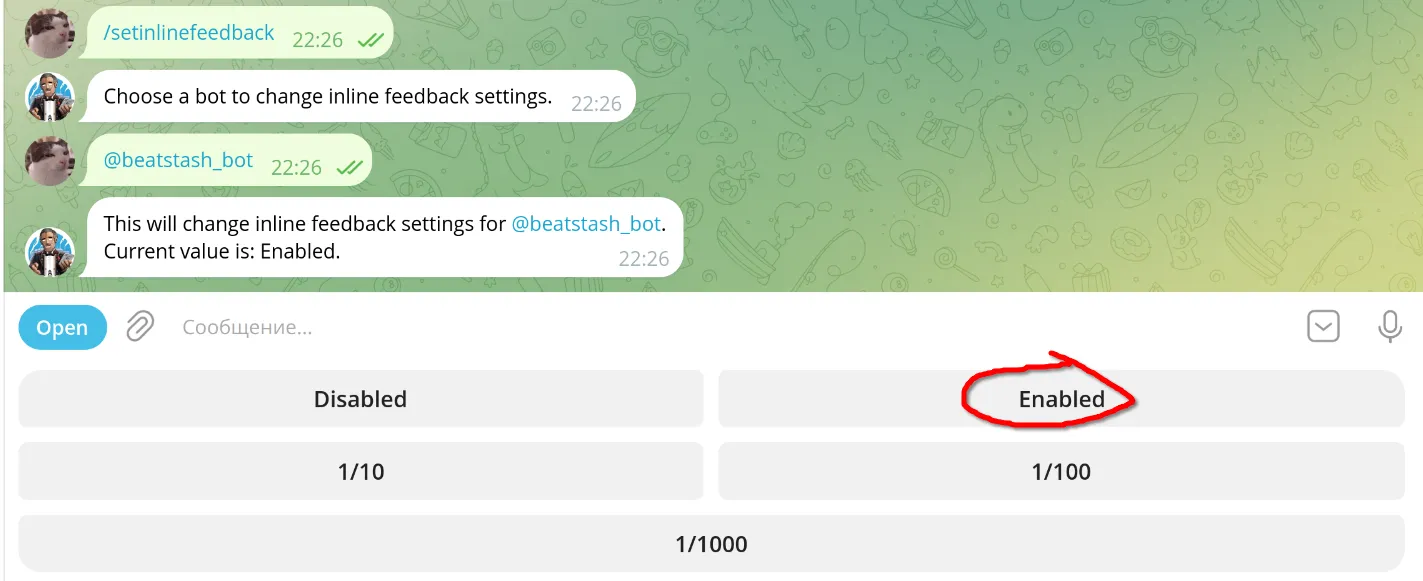
/setinlinefeedback, select your bot, and choose Enabled.
Find your numeric user ID
Section titled “Find your numeric user ID”Open @Get_myidrobot, press Start, and copy the number from its reply. Put it in deploy/config.toml:
admins = ["telegram:123456789"]Use the number, not your username. Accounts in admins are the bot’s administrators: they invite people and manage quotas.
Run the local Bot API
Section titled “Run the local Bot API”Through Telegram’s cloud API, a bot can download files up to 20 MB and send files up to 50 MiB. The stack runs a local Bot API server instead, which raises the bot’s limit to 2000 MiB, enough for FLAC albums.
-
Sign in at my.telegram.org, open API development tools, and create an application.
-
Put its
api_idandapi_hashinTELEGRAM_API_IDandTELEGRAM_API_HASHindeploy/.env. -
Stop any other copy of this bot and log it out of the cloud API. Paste the token when asked; the input is hidden:
Terminal window read -r -s -p 'Bot token: ' bot_tokenprintf '\n'printf 'url = "https://api.telegram.org/bot%s/logOut"\n' "$bot_token" | \curl --config - --fail --silent --request POSTunset bot_tokenExpect
"ok":true. -
Set
telegram.bot_api_urltohttp://telegram-bot-api:8081and start the local service together with the bot.
The bot and the local API share the telegram_bot_api_data volume at /var/lib/telegram-bot-api, because the local API hands the bot file paths instead of URLs. The deployment sample already mounts it.
Telegram describes the switch in Using a Local Bot API Server. If Telegram is blocked where your server is, see when Telegram is blocked.
Use the cloud API instead
Section titled “Use the cloud API instead”Leave telegram.bot_api_url empty to use Telegram’s cloud API, and remove the local API service from your Compose setup. The file limits above then apply: 20 MB for files the bot receives and 50 MiB for files it sends.
To switch back to the cloud API later, stop the bot and log it out through the local API first. After a logout, Telegram makes you wait before the cloud API accepts the bot again. Never let two copies of the bot poll at the same time.