Join and set up your account
Someone runs a music server and invited you. You’ll get a library of your own on it, fill it by sending files to a Telegram bot, and listen in a browser or a phone app. You don’t install anything on a server.
Accept the invitation
Section titled “Accept the invitation”Open the invite link and press Start in Telegram. An invite works for one person and expires after seven days by default. If yours expired or was already used, ask the administrator for a new one.
When the bot asks, choose a Navidrome login: 3 to 32 characters, using Latin letters, digits, dots, hyphens, or underscores. You’ll sign in to players with it. The bot creates the account and shows the password once.
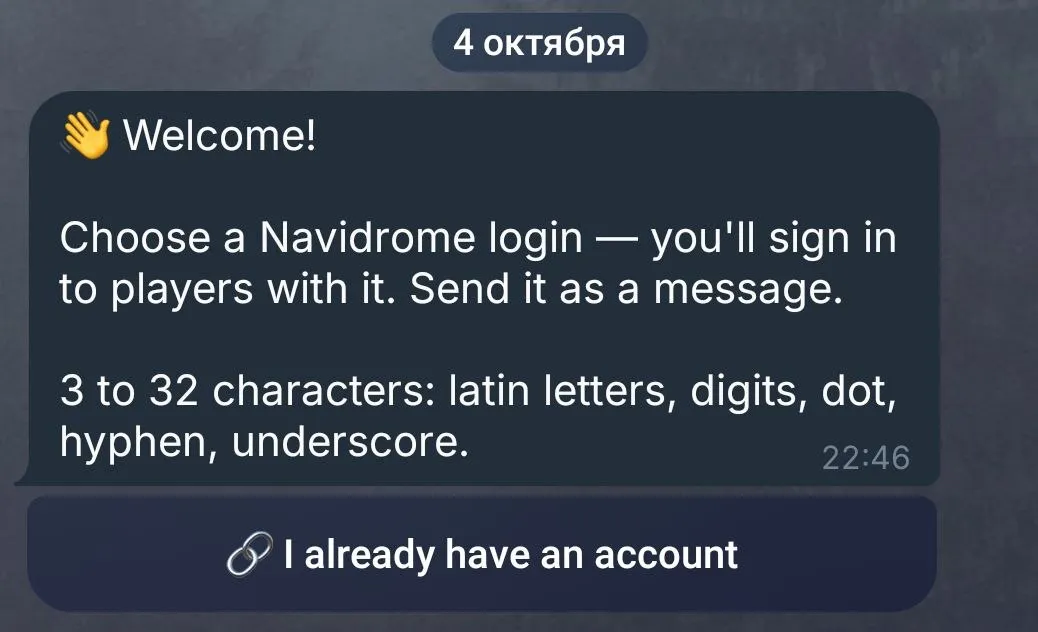
If you already have an account on this Navidrome, choose I already have an account and send login password. The bot deletes that message right away. An account linked to another participant can’t be linked again.
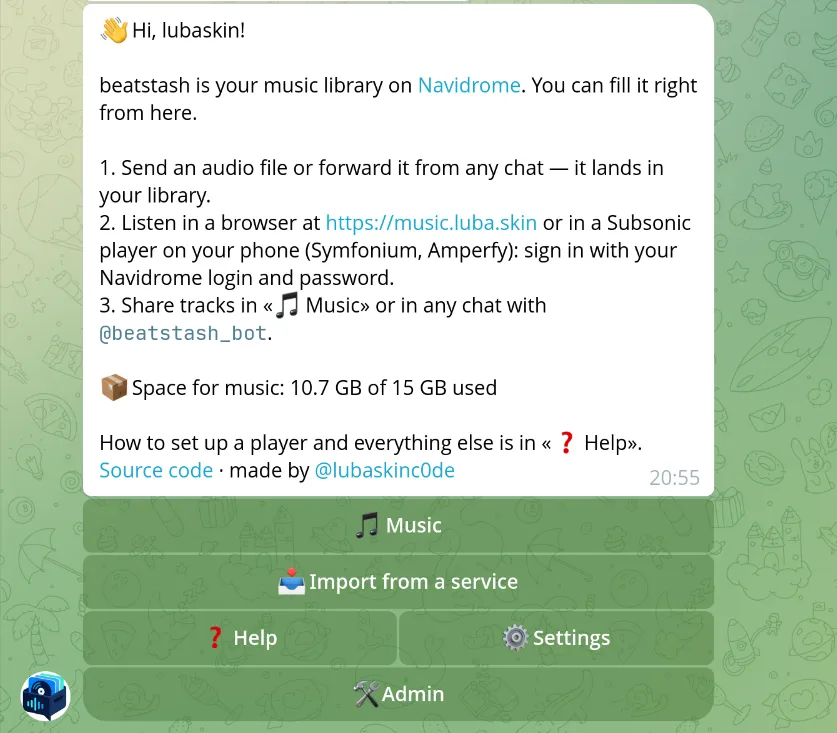
Once you’re in, the bot opens its home screen. Everything starts from here:
Link an account later
Section titled “Link an account later”Open Settings > Navidrome account > Link. To switch to a different account, use Link another.
A linked regular account sees your personal library, the shared library, and any existing libraries the administrator gave it. It loses access to other participants’ personal libraries. A Navidrome administrator account keeps seeing every library.
Add your first track
Section titled “Add your first track”Send the bot an audio file in your private chat with it, or forward one from another chat. Wait for 👍, then open Navidrome or your player. Navidrome may need a moment to scan the file.
The track is in Music > Mine. From its card you can get the file or put the track in the shared library.
Change the language
Section titled “Change the language”Open Settings > Language. English and Russian are built in; the administrator can add more.
If you open the bot without an invite, it says the server is invite-only. Ask the server’s administrator for an invite.