Share music
There are three ways to share, depending on who should hear the music:
| You want to | Use | Who gets it |
|---|---|---|
| Answer a friend in a chat with a track | Inline mode | Everyone in that chat |
| Offer a track to everyone on the server | The shared library | Server participants |
| Let someone without an account play an album | A listening link | Anyone with the link |
Send music to any chat
Section titled “Send music to any chat”In any chat, type your bot’s username and a query, then pick a result. Replace your_music_bot with your bot’s username:
@your_music_bot massive attack@your_music_bot np@your_music_bot recent@your_music_bot shared@your_music_bot top| Query | Results |
|---|---|
| Any track, artist, or album name | Matches from your personal library and the existing libraries you can access |
np | What your linked Navidrome account is playing now |
recent or last | Your ten most recently played tracks |
shared | Recent tracks in the shared library |
top | Participants who share the most |
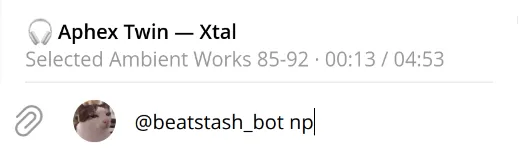
An empty query shows these hints. Depending on whether Telegram already has the file and how the server is set up, a result arrives as audio or as a listening link. After you pick one, give the bot a moment to prepare it.
Results show the album, year, up to two genres, and the label when the music has them. For an album, the bot shows the year, genre, and label most of its tracks share, plus the track count and total length. Genres and labels come from the streaming service the track came from, then from the file’s tags; for existing libraries they come from Navidrome.
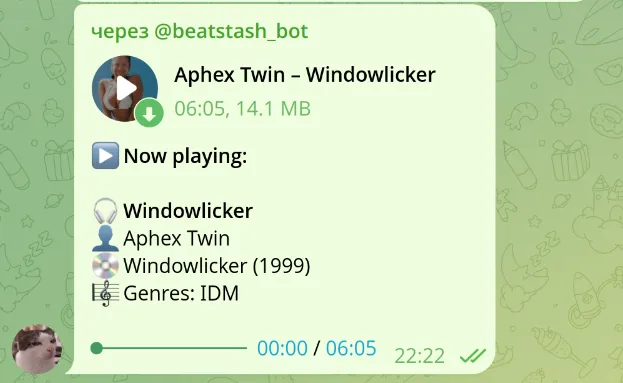
Sending a track to a chat doesn’t put it in the shared library. Whoever receives an audio file can keep it and forward it.
Put a track in the shared library
Section titled “Put a track in the shared library”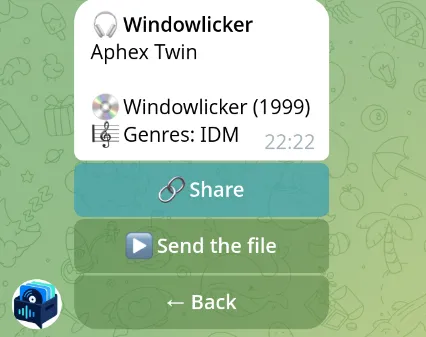
Open Music > Mine, find a track or album, and choose Share or Share the album. Other participants find it under Music > Shared, where they can:
- choose Take to add the track to their own library;
- choose Send the file to get it in Telegram.
If you already have the track, the card says Already yours instead of Take.
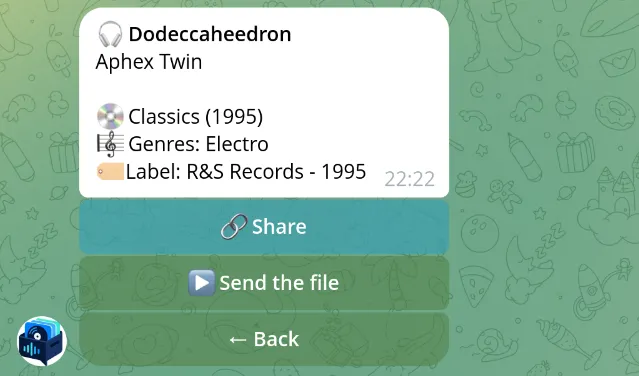
To withdraw it, choose Remove from Shared. If another participant shared the same track, it stays in the shared library. Copies people already took stay in their libraries.
A track needs an artist and title to be shared, and the shared library’s quota must have room for it.
Listening links
Section titled “Listening links”An album card has Listening link. Inline results also use these links for tracks the bot can’t send as audio.
A listening link is a Navidrome share: anyone with it can play the music without an account until it expires. By default links last 30 days and allow downloading; the administrator can change both. For links to work, the administrator must set a public Navidrome address and turn on sharing; see HTTPS and public access.