Listen to your library
The bot fills the library; you listen in Navidrome or any app that speaks its protocol. You don’t need a streaming subscription to play music stored on your server.
In a browser
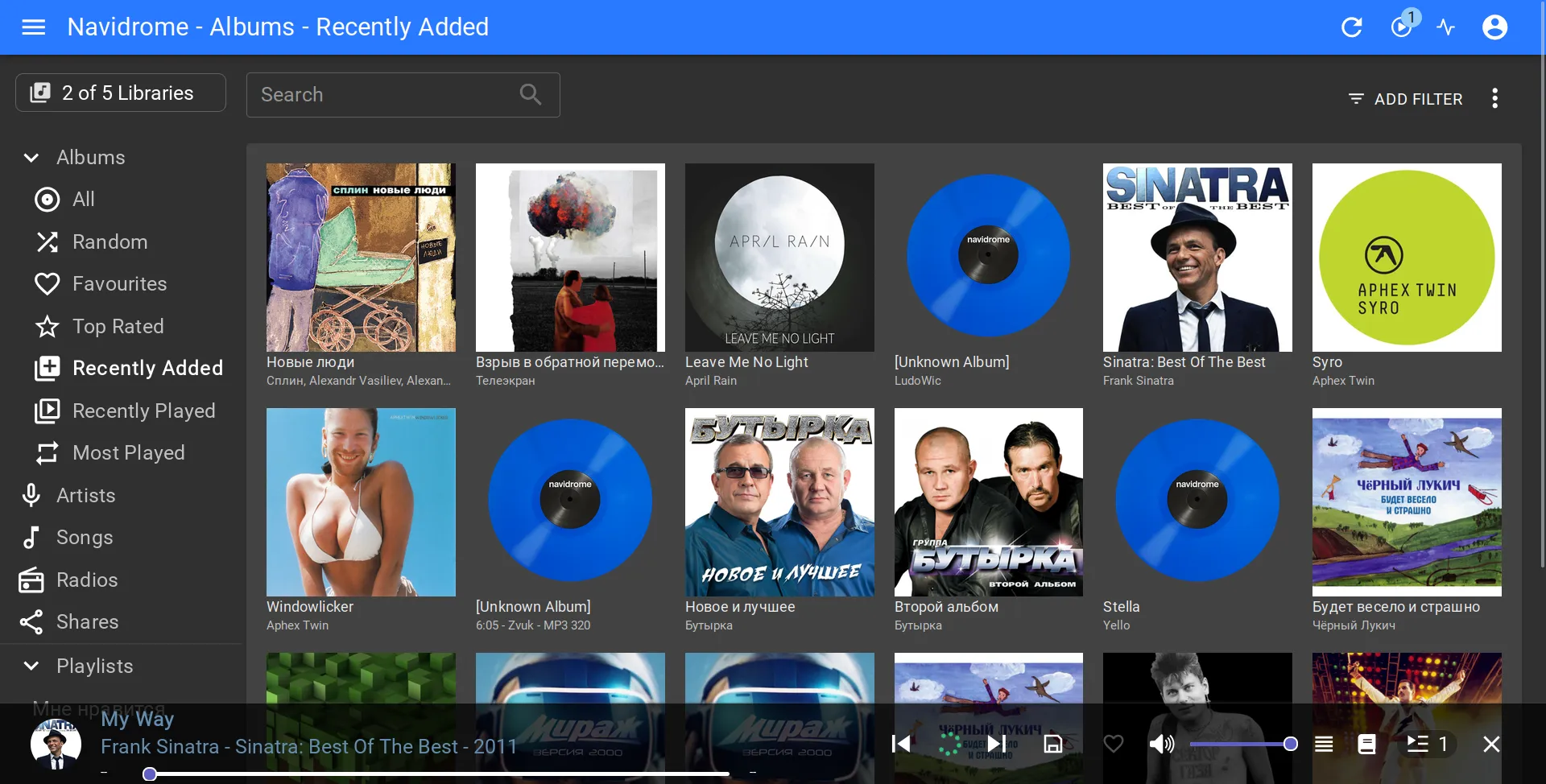
Section titled “In a browser”Open the Navidrome address your administrator gave you and sign in with your linked account. The bot shows the address in Help > How to listen.
You’ll see your personal library, the shared library, and any existing libraries you have access to. Imported likes show up as stars, and imported playlists appear once their tracks are scanned.
In an app
Section titled “In an app”Pick a client from Navidrome’s list of apps. For example, Symfonium, Tempo, or Ultrasonic on Android, and Amperfy, play:Sub, or substreamer on iPhone. Add a Navidrome or Subsonic server with:
- the HTTPS address you use in the browser;
- your Navidrome login;
- your Navidrome password.
Offline downloads, background playback, and integration with your device depend on the app, so check its documentation.
In Telegram
Section titled “In Telegram”Choose Send the file on a track’s card to get the audio in Telegram. Albums can also go out as listening links when the administrator has set them up. See sharing.
If a new track is in the bot but not in the player yet, give Navidrome time to scan it. If an imported playlist looks short, some of its tracks may still be downloading or waiting for the scan.